

Protect your identity
Share identity documents without disclosing all your personal data.

Protect your identity before sharing a document.
MaskID helps you prepare documents you need to share with landlords, accommodation providers, agencies, professionals, or organizations. Import contracts, payslips, statements, bookings, or identity documents; manually hide information the recipient does not need and export a copy to review. The imported original is not modified.


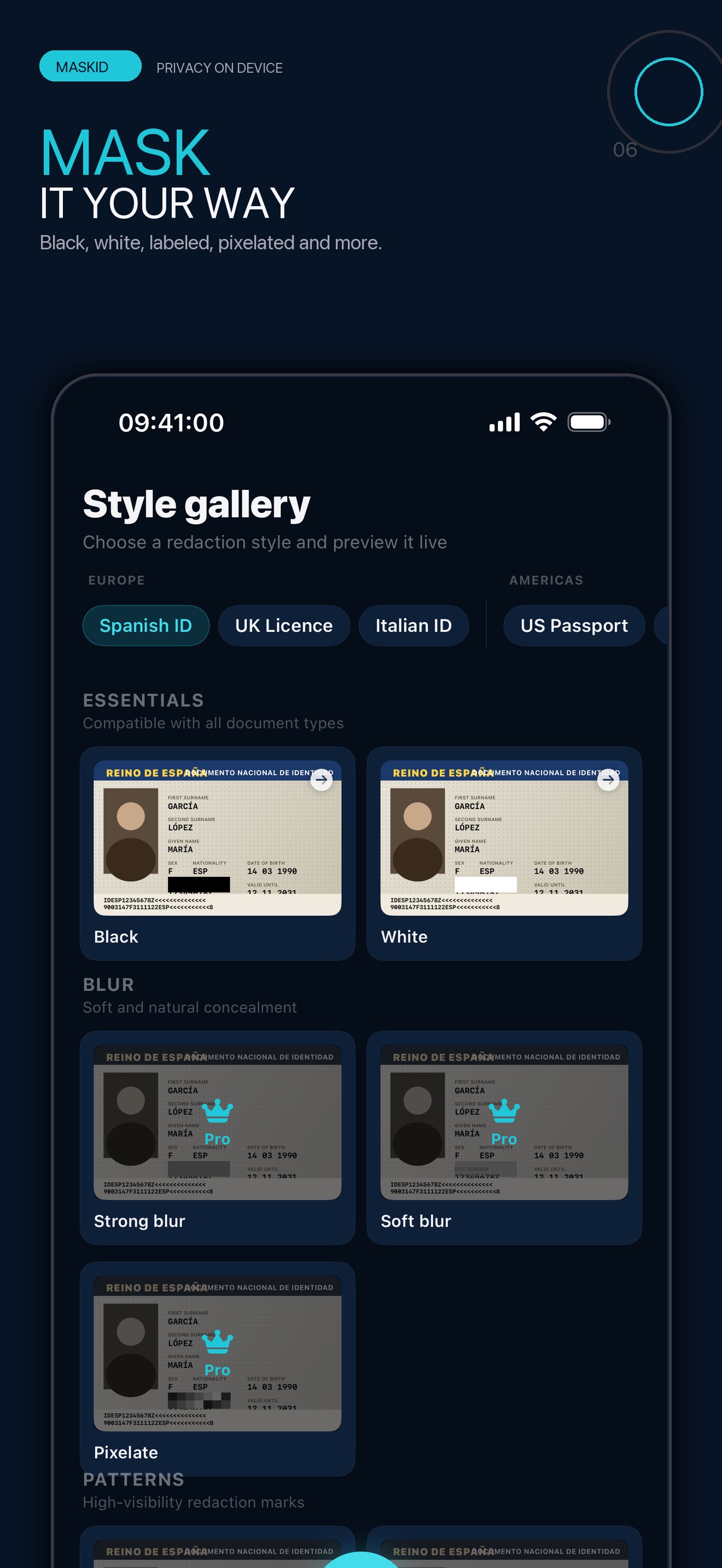


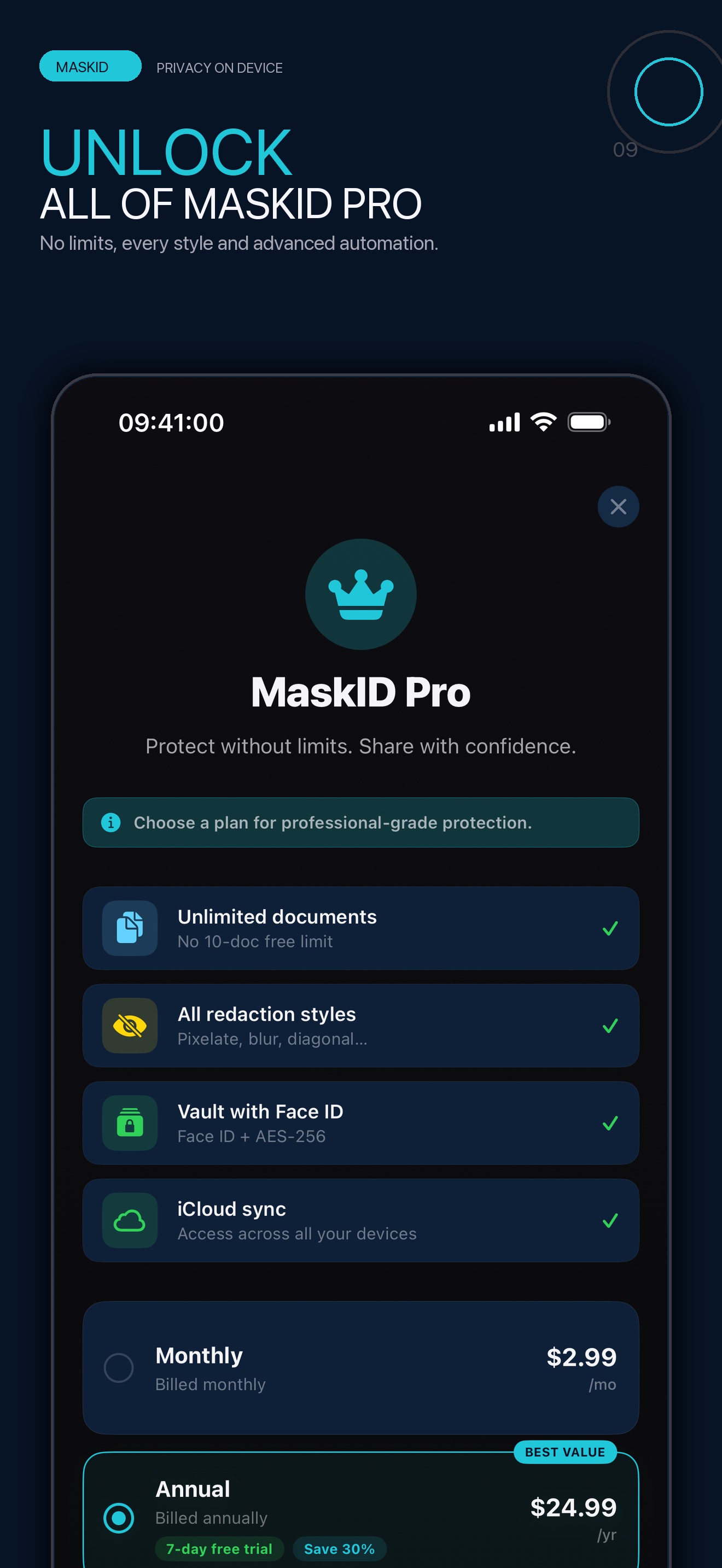

Icons, images, and video come from the product record and update with its catalog entry.
Share identity documents without disclosing all your personal data.
Tailor each copy to a rental, trip, procedure, or specific recipient.
Export flattens a copy and checks technical properties of the file.
Capture, OCR, editing, and export are processed on-device.
v1.1.2 · Gratis
iOS 18.0+ · 2 idiomas
View official page on AppleCompare MaskID Free with MaskID Pro. Manual masking and export are included so you can review a copy before sharing it.
| Capability | MaskID FreeFor getting started | MaskID ProFor going further |
|---|---|---|
| Import, camera, and scanner | Included Import documents or capture an image to start protecting personal data. | Included Process more documents inside unlimited active projects. |
| Manual masks and OCR suggestions | Included Mask data manually and review OCR suggestions before applying them. | Included Reuse semantic templates and speed up repetitive redaction work. |
| Verified export | Included Export a rasterised, reviewed version that shares only what is needed. | Included Apply advanced styles, image controls, and watermarks before exporting. |
| Local encryption and Vault | Included Keep documents on-device with local encryption and a protected Vault. | Included Manage unlimited active projects while keeping the same local privacy model. |
| Optional iCloud sync | Not included Free keeps documents on this device; the Vault always stays local. | Included Sync restorable packages to your private CloudKit database; the Vault is not synced. |
| Batch work and automation | Limited The free plan allows up to 10 documents in total, cumulatively. | Included Process batches, save templates, and apply automations with watermarks. |
Purchases and renewals are securely managed by Apple. Final prices are always those shown by the App Store in your territory.
Flexible access to MaskID Pro.
Apple shows the final price for your territory.
Includes a 7-day free trial for eligible accounts.
Apple shows the final price for your territory.
Permanent access to MaskID Pro.
Apple shows the final price for your territory.
Learn how to import, review OCR suggestions, apply masks, and check an export. We also explain what syncs and where the limits are.
Open guide and tutorials All frequently asked questionsUse Camera, Photos, Files, Share, or a connected provider.
OCR only suggests; inspect every page and complete the masks.
Create a rasterized copy and open it again for review.
Send the reviewed copy and confirm the recipient accepts it.
Note: a technical check does not prove that every sensitive item was marked or that the document will be accepted.
Be the first
Your rating helps more people discover MaskID. Share your experience and leave a review and rating directly in the App Store.
Rate on the App StoreVersion history and progress
Nuevo Perfil de Usuario: Gestiona tus datos personales y foto de perfil desde la cámara o fototeca con guardado seguro en el dispositivo.
Botón Central de Escaneo: Icono de cámara ampliado con máximo contraste y visibilidad en todos los temas.
Integración Temática: Cabeceras, galerías y ajustes adaptados armónicamente al tema activo y atmósfera de Halloween 2026.
Scroll y Navegación Mejorados: Desplazamiento vertical perfeccionado en el paywall para una experiencia más fluida y estable.
Nuevos Iconos V3: Actualización oficial de los iconos de la aplicación para los temas Base y Noche de Halloween.
Rendimiento y Accesibilidad: Mejoras de respuesta táctil, optimizaciones generales y cobertura completa de localización.
Explicaciones más claras para proteger datos privados antes de compartir, controles de iCloud opcionales más transparentes y una revisión más sencilla de las copias protegidas.
What's new in MaskID 1.0.6:
Enhanced biometric unlock with Face ID: automatic and instant authentication when you reopen the app.
Personal pin settings: Create and confirm your own 6-digit pin code in onboarding or manage it in Settings.
Zero Awareness Privacy: Complete purge of residual data to ensure your private space is 100% under your control.
The 106202608271 build includes security enhancements, performance optimizations, and full localization.
What's New in MaskID 1.0.4:
Smart Redaction Presets: 1-tap redaction tailored for rental applications, employment onboarding, hotel check-ins, and banking, including automatic purpose watermarks.
QR & Barcode Detection: Automatically detect and redact 2D codes and barcodes on identity cards and official documents.
Hold-to-Peek Comparator: Press and hold «Original» to instantly preview unmasked documents before exporting.
High-Performance Engine: Async thumbnail generation and granular persistence for faster loading and reduced memory usage.
This update includes general improvements and tweaks across the app for a smoother, more stable experience.
Direct answers and doubt resolution about the application.
We are at your disposal to help you with any issue or suggestion about the app.
App SupportIt helps you manually hide personal data in a copy of a document before sharing it. Capture, OCR, editing, and export are processed on-device.
Import or capture the document, review OCR suggestions, add and check masks on every page, export a copy, and open it for a final review before sharing.
No. OCR suggests possible data and can miss items or make mistakes. Review every suggestion and add any missing masks manually.
MaskID rasterizes the copy and checks technical properties, including recoverable residual text. It cannot know whether you selected every sensitive item or guarantee that a recipient or authority will accept the document.
No. Masks are applied to a working copy and export creates another file. Keep any original you need and share the reviewed copy.
If you have MaskID Pro and enable the feature, MaskID syncs a restorable package that can contain metadata, original and working images, the source PDF if present, OCR text, and masks. The Vault stays on-device and is not synced.
Yes, as an optional integration. Authorization takes place directly with the provider through OAuth with PKCE; tokens are stored in Keychain and you choose which file to import. An internet connection is required.
Local capture, editing, OCR, and export do not depend on a MaskID server. Features that connect to iCloud, Drive, Dropbox, or the App Store need a network connection.
The free version lets you process up to 10 documents in total, cumulatively. It includes manual masks and export; essential protection features are not reserved for Pro.
MaskID Pro increases capacity and adds batch processing, reusable templates, styles, image controls, watermarks, and automations.
Apple may offer a 7-day trial for eligible accounts on the annual plan. Eligibility, duration, post-trial price, and renewal terms shown by the App Store before confirmation control.
MaskID is an iPhone and iPad app. It does not currently include an Apple Watch app.
Document content, images, OCR text, and masks are not sent to Firebase Analytics, Crashlytics, or RevenueCat. Firebase Analytics is off by default and requires your consent; Crashlytics is used separately for stability diagnostics.
Not necessarily. A recipient may require complete pages, unredacted information, or another format. MaskID does not provide legal advice or guarantee acceptance; confirm requirements before sharing.
Manage subscriptions in device Settings > your name > Subscriptions. Deleting MaskID does not cancel a subscription. See the subscription terms for details.